
Live Camera - Street View
Satellite World MapsTravel & Local
0.00.00 Reviews
- Version
- 6.9.1
- Installs
- 1.00M
- Age Rating
- Everyone
Screenshots
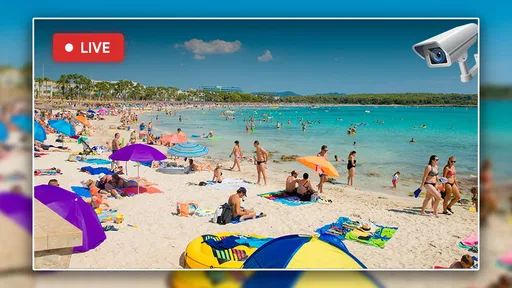



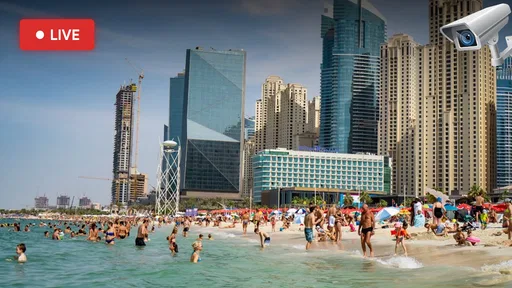

Our Review of Live Camera - Street View
 Analysis by Appyee
I like Live Camera - Street View most when I treat it as a window for casual, short visits rather than a substitute for planning a real trip. A live view can make a distant place feel immediate, while street imagery gives a different way to look around. That mix suits a curious moment: checking the feel of a city, sharing a location with someone nearby, or taking a small break from the same familiar screens. It is a travel and local app from Satellite World Maps, and its appeal is easy to understand once you know what you want from it: visual browsing, not a full travel-planning toolkit.
A practical way to explore
My most useful habit is to decide what I want to learn before opening a camera feed. If I am curious about a destination, I search for the place first, then use the available views to get a rough sense of its surroundings. Live footage and street imagery answer different questions: a camera may show what a particular viewpoint looks like right now, while street imagery helps me orient myself along a route or inspect a nearby area. They are complementary, not interchangeable, so I avoid treating one frame as a complete picture of an entire city.
That distinction matters for everyday decisions. If I am choosing between two neighborhoods for a future visit, I can use the app to spark questions about the atmosphere and visible surroundings, then check a map or a dedicated travel source for routes, opening hours, and practical details. A live camera is a glimpse, not a guarantee that the same conditions will hold when I arrive. Weather, traffic, events, and the camera’s angle can all shape what appears on screen.
Build a repeatable browsing routine
When I find a feed worth revisiting, bookmarking it is more useful than relying on memory or typing the same place name again. I keep saved spots for different purposes—for example, a place I want to show a friend and a destination I am considering for a trip. That small bit of organization helps turn a one-off browse into a personal collection, without pretending the app is a full itinerary manager.
A second practical tip is to compare more than one view before drawing conclusions. A busy-looking camera may point at a popular square rather than represent the whole neighborhood; a quiet scene may simply be between moments of activity. I use the camera as a prompt to explore, not as a verdict on whether a place is lively, safe, or worth visiting. That caution makes the app more useful and avoids reading too much into a limited viewpoint.
Getting Started with Live Camera - Street View
Alright, let’s talk about getting started. The app’s installation process is a breeze. Just a quick hop to the app store, a couple of taps, and you’re set. Once it’s up and running, you’re greeted with a simple interface that doesn’t require a degree in rocket science to navigate. No clutter, just a straightforward menu to guide you to your virtual destinations.
Features that Stand Out
Now, here’s where it gets interesting. The app integrates live camera feeds from around the globe, allowing you to explore countless locations in real-time. Imagine checking out the hustle and bustle of Times Square or the serene tranquility of a Swiss village, all from the comfort of your couch. The Live Camera - Street View app offers a unique blend of live streams and street view imagery, making it a versatile tool for virtual exploration.
Another cool feature is the ability to search for specific locations. Want to see what’s happening in your favorite city? Just type it in, and voila! You’re virtually there. The app also allows you to bookmark your favorite spots, so revisiting them is just a tap away. It’s like having a little black book of your favorite places, but way cooler.
User Experience and Interface
Let’s chat about the user experience. The interface is delightfully intuitive. You won’t find yourself lost in a maze of menus. The navigation is smooth, and the transition between different views is seamless. Plus, it’s optimized for both Android and iOS, so no one’s left out of the fun.
The app’s performance is generally smooth, though I did notice a slight lag when switching between high-traffic locations. Nothing too drastic, but it’s worth mentioning for those who might expect lightning-fast transitions.
Settings, expectations, and useful limits
Before making the app part of a regular routine, I would check its current store page and the device settings that control location access. The app is free, rated for Everyone, and its current version is 6.9.1; it runs on Android 8.0 or later. Those details make it straightforward to judge basic compatibility, but they do not tell you how a particular feed will behave on your network or device. If a stream takes time to load, I first try another location rather than assuming the whole app is stuck.
Location access is worth thinking about in context. For browsing a place by name, I would start without granting location access unless the app needs it for a local view I actually want. On a shared or family device, reviewing the system permission controls is a sensible routine, especially if several people use the same phone. The useful trade-off is simple: local discovery may be more convenient with location enabled, while manual searching keeps the session deliberate.
Live footage also depends on what a camera happens to capture. The view may be fixed, quiet, or temporarily unavailable, and a location search does not promise a camera on every street or an uninterrupted feed. I would not use this app to judge urgent conditions, confirm a road is clear, or make a time-sensitive safety decision. For those tasks, official local services and navigation tools are the better choice.
Who will get the most from it
I can see this app working especially well for armchair travelers, families looking for a visual way to talk about places, and anyone who enjoys brief, low-pressure browsing. A parent could pull up a location that came up in a child’s schoolwork, then use the different views to make the discussion more concrete. A traveler might save a few destinations and revisit them while comparing ideas. In both cases, the value is curiosity and context, not a definitive guidebook.
It is less suited to someone who needs turn-by-turn directions, reliable journey times, detailed business listings, or a structured trip plan. A conventional map app is better for routes and navigation; a dedicated travel planner is better for organizing reservations and schedules. I see Live Camera as a visual companion to those tools, not a replacement. That comparison is important because its most distinctive appeal is seeing places, rather than managing the practical work of getting there.
A small everyday use case
One realistic way I would use it is during a lunch break: search for a city a friend has just mentioned, open a relevant view, and bookmark a location that looks interesting to revisit later. If the camera shows a crowded square, I treat that as a snapshot of one angle at one moment, not proof that the whole city is busy. Later, I can compare the saved spot with another view and use a dedicated map if I need directions. That simple sequence—search, look, save, verify elsewhere—keeps the experience enjoyable without asking the app to answer questions it is not built to settle.
For faster browsing, I would keep searches specific enough to distinguish a landmark or neighborhood from a broad city name, then save useful results instead of repeating the same search. The best shortcut is a habit, not a hidden setting: decide what you are trying to see, use the view that fits that question, and move on when the feed does not provide it. This makes the app feel less like random channel surfing and more like a small visual notebook of places.
Privacy and Permissions
Now, I know what you're thinking: "What about privacy?" The app does require access to your location, but only if you want to check out local live feeds. It’s all pretty standard stuff, and there’s nothing overly intrusive. As always, it’s good to be mindful and check out the permissions if you’re privacy-conscious.
Why You’d Love It
So, why should you give this app a go? If you’re a travel enthusiast or someone who loves exploring new places, this app is a treasure trove. It’s not just about seeing new places; it’s about experiencing them in real-time. Whether you’re planning your next trip or just want to quench your wanderlust, this app has got you covered.
Plus, it’s a fantastic educational tool. Teachers and parents can use it to show kids different parts of the world, making geography lessons way more exciting. And let’s not forget the sheer novelty of being able to peek into different parts of the world whenever you want. How cool is that?
One caveat I would keep in mind is that “live” should not be read as a promise that every location will offer a useful, constantly changing scene. A camera’s usefulness depends on its placement and whether it is available when you check. If a view does not help, switching to street imagery or trying a more precise search is a more productive response than waiting for that one feed to become interesting.
Final Thoughts
In a world where travel has its limitations, Live Camera - Street View offers a refreshing escape. It’s a nifty little app that brings the world to your fingertips. Sure, it’s not a substitute for the real thing, but it’s a fantastic way to explore and discover from afar.
If you’re someone who loves to explore, learn, and satisfy your curiosity, this app is definitely worth checking out. So, go ahead, download it, and let your adventures begin!
With more than a million installs, it has clearly found an audience for this kind of visual wandering. I would still choose it for the right reason: a quick look at places that interest me, a saved collection of spots, or a lively prompt for conversation. I would skip it when I need dependable logistics or a complete picture of local conditions. Used with that boundary in mind, it is an approachable free option for casual exploration, and its best moments come from looking closely without expecting one camera view to tell the whole story.
Verdict
Strengths of Live Camera - Street View
- Real-time street view feature is very accurate.
- User-friendly interface with intuitive navigation.
- Wide range of locations available worldwide.
- High-quality images with minimal loading time.
- Regular updates ensure enhanced performance.
Limitations of Live Camera - Street View
- Requires a stable internet connection to function.
- Some locations may have limited coverage.
- Ad-supported, which can be slightly intrusive.
- Occasional delays in image loading.
- No offline viewing option available.
Similar Picks in This Category
View All
Google Maps
Google LLC3.4

Google Maps Go
Google LLC4.1

Booking.com: Hotels & Travel
Booking.com Hotels & Vacation Rentals4.8

Google Earth
Google LLC3.8

Skyscanner Flights Hotels Cars
Skyscanner Ltd4.8

trivago: Compare hotel prices
trivago N.V.4.4
Frequently Asked Questions
What features does Live Camera - Street View offer?
Live Camera - Street View provides real-time access to street views from around the world. It offers features like 360-degree panoramic views, satellite images, and location-based searches. Users can explore landmarks, check traffic conditions, and even view live feeds from various street cameras globally. It's an excellent tool for virtual travel and navigation.
Is Live Camera - Street View free to use?
The app offers a free version with basic features, but there may be in-app purchases or a premium version available. The premium version typically provides an ad-free experience and additional features such as higher resolution images, offline maps, and enhanced navigation tools. Check the app store for specific pricing details.
How accurate is the real-time street view in Live Camera - Street View?
The app strives to provide accurate and up-to-date street views by integrating various camera feeds and satellite images. However, the quality and timeliness of the views can depend on the location and the availability of local data. Some areas might have delayed updates, so it's best used as a general guide rather than for precise, real-time navigation.
Can I use Live Camera - Street View without an internet connection?
An internet connection is generally required for accessing live street views and updated maps. However, if the app offers an offline mode, you may be able to download certain maps or views in advance for offline use. This feature is typically available in the app’s premium version, allowing for seamless navigation even without connectivity.
Is Live Camera - Street View available on both Android and iOS?
Yes, Live Camera - Street View is available for both Android and iOS devices. You can download it from the Google Play Store for Android and the Apple App Store for iOS. Ensure your device meets the app's compatibility requirements for optimal performance and access to all features.
